- DATE:
- AUTHOR:
- The BigTime Team
BigTime Release Update: August '26
August's release moves the New BigTime Experience to more firms than any wave so far, opens an early look at logging time and expenses right inside your team's AI tools, and previews the redesigned invoicing experience now taking shape. Together, they give your team faster access to daily work, fewer costs slipping through at month-end, and a clearer path from delivered work to billed revenue. Read on for what's landing today and what's just ahead.
Release Highlights
New BigTime Experience: More firms move to the redesigned experience than in any previous wave.
Bring Time Tracking & Expense Reporting into your AI Tools (Beta): Manage time and expense reporting right from the AI tool your team already uses.
Redesigned Invoicing Preview: We’ve begun building the redesigned invoicing experience and wanted to share an early look at what’s coming.
 What's New -
BigTime Platform Evolution - Expanding to More Firms
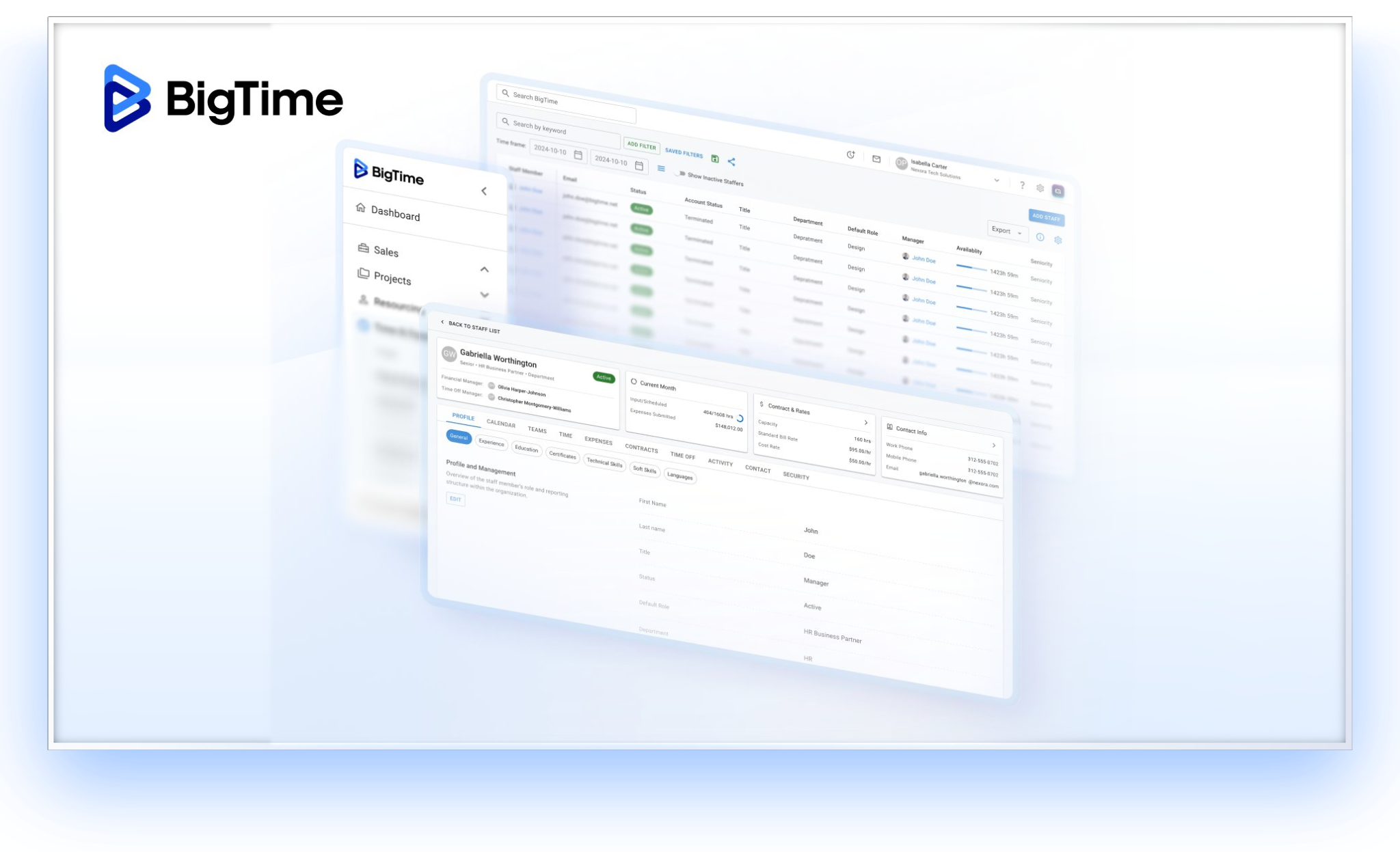
Beginning August 6, 2026, we'll expand the rollout of the New BigTime Experience to another group of eligible firms.
The redesigned workspace brings updated navigation, a cleaner interface, and faster access to the areas your team uses most, like projects, time, and reporting, so everyday tasks take less time and your team can stay focused on client work. The core BigTime functionality your team already relies on stays right where you need it.
What your team should know:
If your firm is included in this wave, your firm's system administrator will be notified in advance, so your team has time to prepare before the change takes effect.
Your projects, time entries, permissions, and account configuration all carry over automatically, so there's nothing to reinstall or reconfigure and no disruption to your ongoing work.
The New experience becomes available automatically.
Navigation and select page layouts will look different in places, but the workflows your team depends on remain available, just faster to get to.
Not enabled yet? No worries! There’s still a handful of firms with specific configurations that will move to the New Experience in an upcoming wave. If your firm isn't included on August 6, no action is needed. We'll reach out in advance with timing.
Questions? Reach out to your Customer Success Manager or BigTime Support.
Bring Time Tracking & Expense Reporting into Your AI Tools - Closed Beta
Time tracking and expense reporting should stay out of your team's way. Your BigTime data is now available through the Model Context Protocol (MCP), an open standard that lets AI tools securely connect to the apps you use. Add BigTime as a connector in the AI tool your team prefers, such as Claude or ChatGPT, and your team can log, update, and review time and expenses in plain language instead of stopping to navigate forms.
Because MCP is an open standard, BigTime works alongside the other connectors your team has already set up. Your AI tool can draw on them together, so an entry can start from wherever the work was already recorded: a meeting on a calendar, a ticket that just closed, a receipt sitting in an inbox. Nothing is written to BigTime until your team reviews the details and confirms them. The connection is also permission-aware, so each person only sees and updates the data their BigTime role already allows.
Less reconstructing the week from memory and chasing down receipts means more billable hours and reimbursable costs captured accurately, and more time spent on client work.
In this Beta, your team can:
Log, update, and review time entries by asking in plain language, instead of clicking through forms.
Create expenses the same way, receipt attached, and check the details before anything is saved.
See which time entries and expenses are already submitted and which still need attention, so nothing falls through the cracks at month-end.
Look up projects, tasks, and clients so hours and costs land against the right work the first time.
Pull the supporting details from wherever the work happened, using the other LLM app/connectors your team already has in place.
 What's Coming -
Redesigned Invoicing Experience - Now Taking Shape
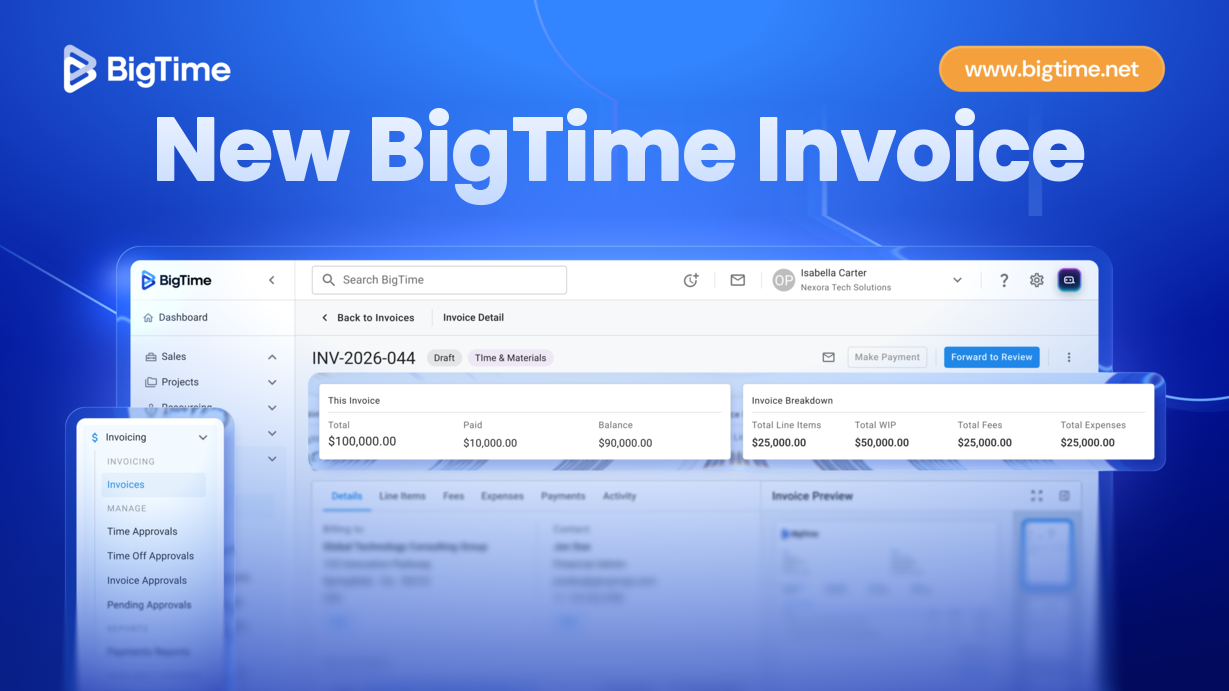
In recent releases, we named invoicing as our next major area of focus and that work is now underway. We're rebuilding invoicing from the ground up around accuracy, clarity, and more control over how your team turns delivered work into billed revenue, so invoices go out faster and with fewer corrections along the way.
A first look at what we're building:
A guided invoice creation wizard for manual and time-and-materials (T&M) invoices, with client and project selection, line-item and discount management, and PDF preview, so your team can build an accurate invoice in fewer steps and with less back-and-forth.
An invoices list with search, filters, and configurable columns, plus a detailed invoice view, so your team can find the exact invoice they need without digging.
Exports to XLSX, CSV, and PDF, and one-click invoice printing, so getting invoices into the format your clients or finance team needs takes one less step.
This feature is currently in development and is not publicly available yet.